Voice shutdown
“Alexa, turn off my PC.” A clean shutdown through the lightweight Windows app — as easy as turning it on.
Alexa skill · Windows PCs
Turn on and shut down your PC using your voice, with Wake-on-LAN tech and your Echo devices.
No card needed · Sign in with Amazon · Upgrade anytime from your dashboard
How it works
In the Alexa app, enable “Wake on Voice” and sign in with the same Amazon account that’s set up on your Echo.
Open the Wake on Voice skillGive it a name, paste its MAC address. About 30 seconds. (Windows shows your MAC as Physical Address under ipconfig /all.)
On the Full plan, the Windows app detects it for you.
That’s it. Your Echo sends the wake signal directly to your PC over your home network.
What you can say
Real commands, not a wishlist. Voice wake is free; shutdown, groups and schedules come with the Full plan.
The Full plan
$6/year · 50¢/moEverything the Full plan adds — remote wake and shutdown when you’re away, a clean voice shutdown, schedules, device groups, a full history, and up to five PCs.
“Alexa, turn off my PC.” A clean shutdown through the lightweight Windows app — as easy as turning it on.
Run a small relay on any always-on box — Windows, Linux, a Mac, or a Pi — and control your PCs from the road with the iOS app, not just the couch.
Set it and forget it — one schedule per PC and one per group, in your timezone.
“Alexa, turn off the studio” — one command for every machine in the room.
Every command, who it hit, and whether the machine answered. No more guessing.
Every PC on the LAN gets a name and a voice — with automatic MAC detection so setup takes seconds.
iOS app
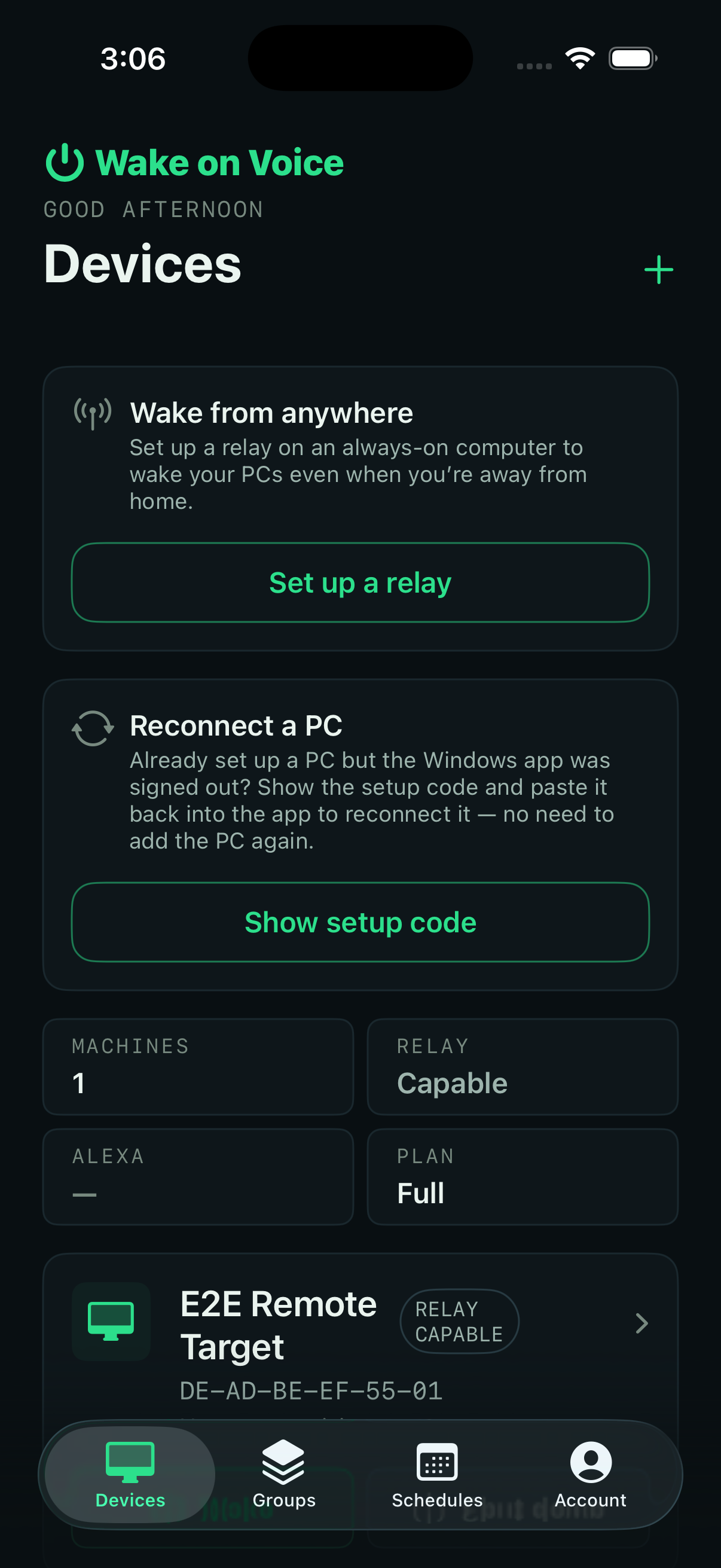
On the App StoreThe native iOS app puts your whole fleet one tap away. No Alexa, no Echo needed. Just your iPhone.

Pricing
Free for one PC. Everything else, $6 a year.
Free plan
$0
Forever
No card needed
Start on the Free planFull plan
$6/year
Effectively 50¢/month, billed yearly
Prices in USD
Start on the Full planFAQ
Just one — “Wake on Voice.” You can open it straight from the link below, or search for it in the Alexa app. Either way, sign in with the same Amazon account that’s set up on your Echo to finish linking.
Open the Wake on Voice skillYes, truly free. One computer, voice wake, and tap-to-wake on home Wi‑Fi with the app — no credit card, no trial timer. The upgrade is optional — only needed if you want Full plan features (remote wake and shutdown when away, automatic setup, voice shutdown, scheduled shutdown (1 per PC and 1 per device group), activity log, device groups, and up to 5 computers). No ads, no tracking, no account-data sales. We keep Free plan cheap to run by keeping it small.
The Windows app keeps a live connection to our servers when you’ve got Full plan features like shutdown or scheduled shutdown (1 per PC and 1 per device group). That live link is how we tell your PC to shut down the instant you say so, and it’s the ongoing infrastructure the Full plan funds. Free plan isn’t zero-cost for us either — every account still uses a bit of server time. We absorb that cost. The Full plan funds the pricier always-on connection and helps keep Free plan sustainable.
If you have more than 1 computer paired, we’ll ask you to pick which one stays active on the Free plan — the others get unpaired (your account stays, re-pairing is free). The Windows app features stop working on that PC: voice shutdown, scheduled shutdown (1 per PC and 1 per device group), and activity log. Voice wake still works. You can upgrade again anytime.
Your name, email, and whether an Echo is linked. That’s it. We never see your other skills, routines, device names, shopping list, or anything else in your account.
Wake-on-LAN (WoL) is a networking standard that lets a device on your network wake another from sleep or hibernate by sending it a small “magic packet.” Your PC’s network adapter has to support it — most modern ones do.
Ethernet is strongly recommended. Ethernet cards stay listening for the wake signal in all power states, including when your PC is fully shut down. Wi-Fi can sometimes wake a sleeping PC, but almost never a fully-off one. If you’re Wi-Fi-only, plan on waking from sleep rather than shutdown, or add a USB-to-Ethernet adapter.
A Windows 10 or 11 PC, any Echo or Alexa-enabled device, and both on the same local network. That’s it — Free plan works with just this hardware, you enter the MAC address once on the dashboard. The Full plan adds remote wake and shutdown (relay + phone), plus a lightweight Windows app that makes setup automatic.
Alexa only for now.
Wake and shutdown are the core actions. The Full plan adds remote wake and shutdown when you’re away, scheduled shutdown (1 per PC and 1 per device group, e.g., shut everything down at 11pm), device groups, and a log of recent activity. We keep the surface small on purpose.
If you enabled “Wake on Voice” in the Alexa app before visiting wakeonvoice.com, you’ve already completed the linking step. To finish setup, sign in here with the same Amazon account you used in the Alexa app. From the dashboard, install the Windows app on the computer you want to wake.
The relay is a small, headless background service that comes with the Full plan. You run it on any always-on machine at home — Windows, macOS, Linux, or a Raspberry Pi (even a Pi Zero) — and it lets the iOS app wake your PCs from anywhere. The app auto-detects your network: on home Wi‑Fi it can wake your PCs directly with no relay (that home-LAN path is Free for one PC); when you’re away on 4G/5G, the Full plan’s relay is how it reaches them — so your whole fleet stays one tap away, wherever you are. It’s secure by design: no inbound ports (it dials out to Wake on Voice), signed and checksummed releases, and each relay is paired to your account. Setting it up takes a minute: download it for your platform, install, run it with `--pair`, and approve the code.
The iOS app is your PCs in your pocket — a native iPhone app. On the Free plan you can tap-to-wake on home Wi‑Fi (one PC, no relay); the Full plan unlocks wake when you’re away via a relay, phone shutdown, schedules, groups, activity log, widgets, and up to 5 PCs. It wakes and shuts down with a tap, no Alexa or Echo needed. Away on 4G/5G, wake goes through your Full plan relay — the only way to wake your PCs when you’re away. You don’t need it for Alexa voice wake — the skill works on its own — but it’s the easiest way to run everything from your phone.
New to Wake-on-LAN? How to turn on your PC with Alexa
Free for one PC
Live in about a minute. Works with the Echo you already own.
Start free